
BOLTGRP.xls
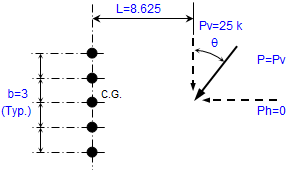
Description
Calculation Description:
"BOLTGRP" is a spreadsheet program written in MS-Excel for the purpose of analysis of bolt groups usingeither the ultimate strength method (also known as "instantaneous center of rotation" method) or the "elastic" (vector) method ("Alternate Method 1" in AISC Manual). There is also a worksheet for bolt stress analysis, and a separate worksheet that contains data tables for bolts.
This program is a workbook consisting of thirteen (13) worksheets, described as follows:
- Doc - Documentation sheet
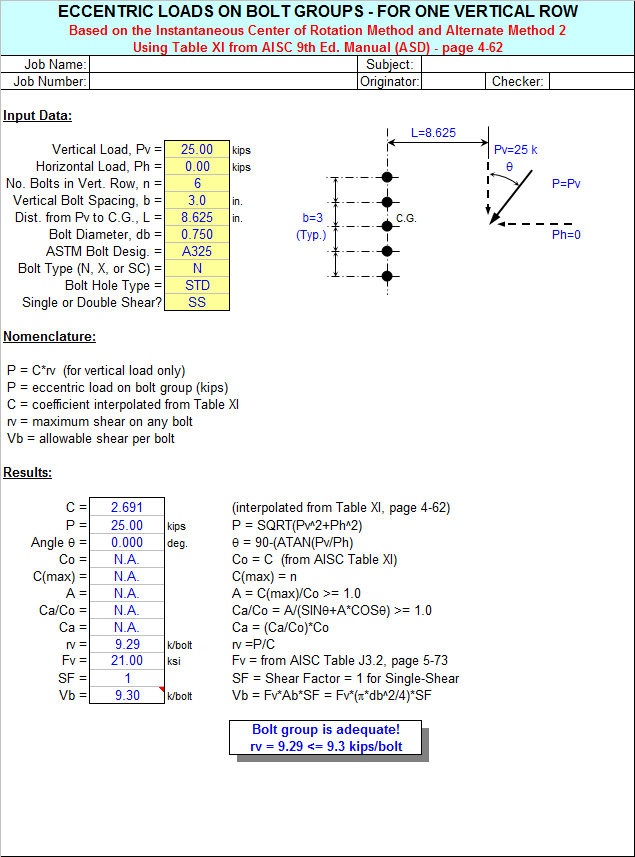
- Table XI - Bolt group instantaneous center analysis for one row of bolts
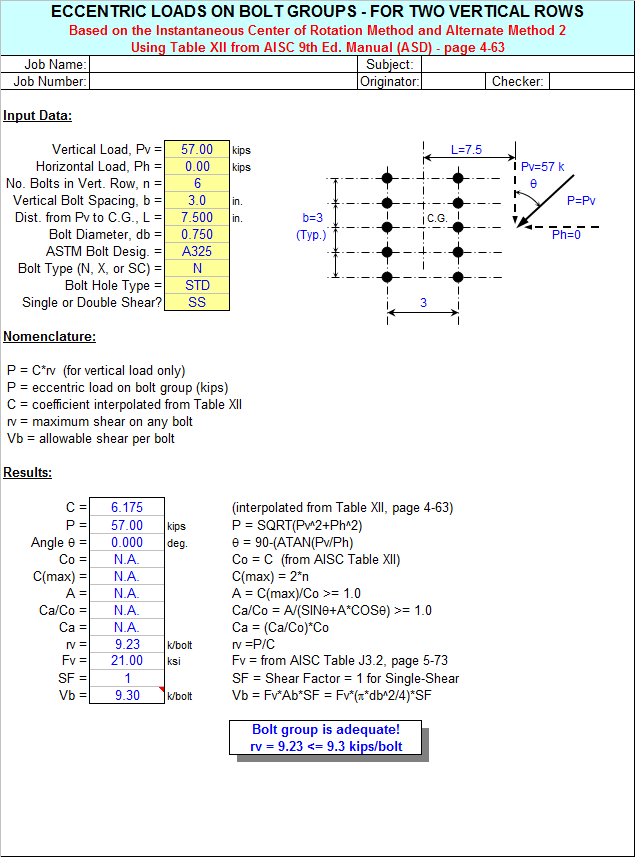
- Table XII - Bolt group instantaneous center analysis for two rows spaced at 3"
- Table XIII - Bolt group instantaneous center analysis for two rows spaced at 5-1/2"
- Table XIV - Bolt group instantaneous center analysis for two rows spaced at 8"
- Table XV - Bolt group instantaneous center analysis for three rows spaced at 3"
- Table XVI - Bolt group instantaneous center analysis for three rows spaced at 6"
- Table XVII - Bolt group instantaneous center analysis for four rows spaced at 3"
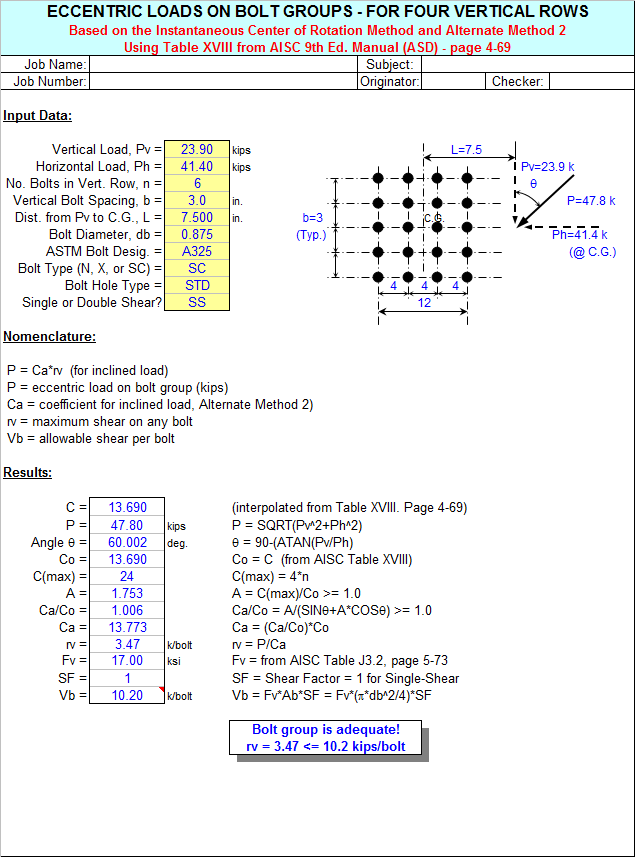
- Table XVIII - Bolt group instantaneous center analysis for four rows spaced at 4"
- Bolt Group (<=25) - Bolt group elastic analysis for up to 25 total bolts and 4 load points
- Bolt Group (<=75) - Bolt group elastic analysis for up to 75 total bolts and 8 load points
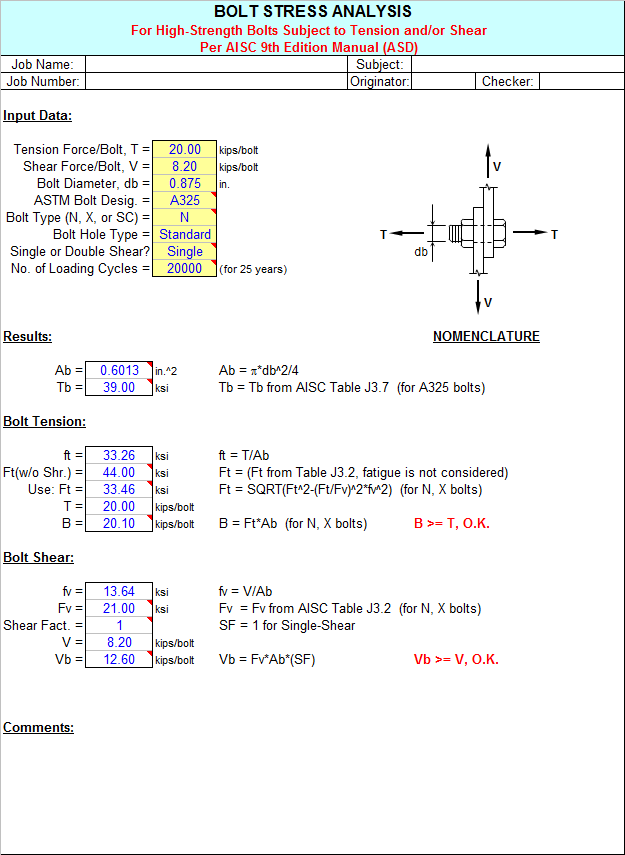
- Bolt Stress - Bolt Stress Analysis for H.S. Bolts subject to tension and/or shear
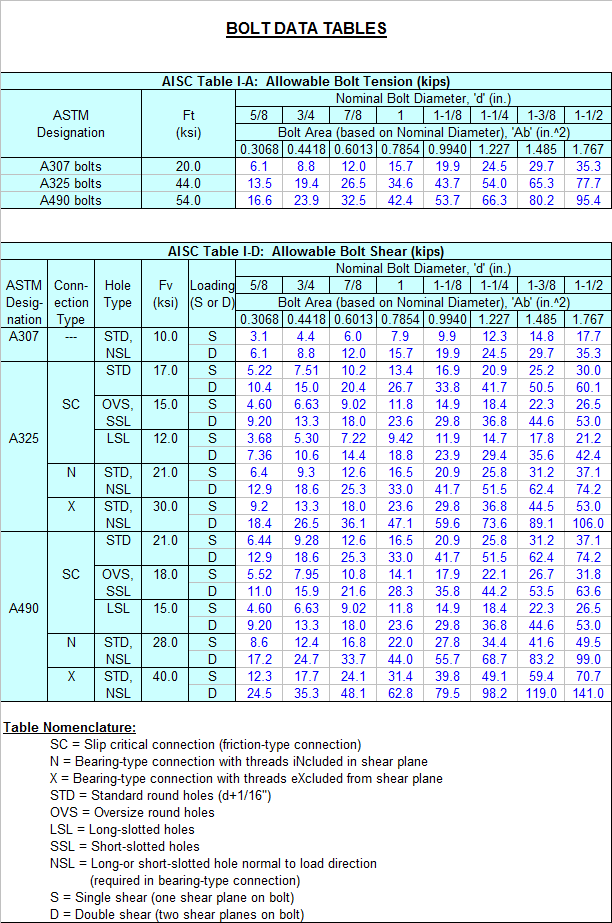
- Bolt Data - Bolt Data Tables
Program Assumptions and Limitations:
1.The AISC eccentric loads on bolt groups worksheets (Tables XI through XVIII, pages 4-62 through 4-69) are applicable for only in-plane shear loads and torques (moments) on the bolt group.
2.The elastic method worksheets, "Bolt Group(<=25)" and "Bolt Group(<=75)", can be used for all cases of in-plane and out-of-plane loads on the bolt group, or where geometry limitations of the AISC Tables XI through XVIII are ecceeded.The "elastic" method (AISC "Alternate" Method 1) will always give conservative results when compared to using the AISC Tables.
3.The elastic method worksheets, "Bolt Group(<=25)" and "Bolt Group(<=75)", assume a minimum of 2 bolts and a maximum of either 25 or 75 bolts for a bolt group.
4.The elastic method worksheets, "Bolt Group(<=25)" and "Bolt Group(<=75)", assume that all the bolts contribute to the moment of inertia of the group, and the applied loads are linearly distributed among the bolts based on the location of the bolts from the centroidal axes.
5.The elastic method worksheets, "Bolt Group(<=25)" and "Bolt Group(<=75)", assume an orthogonal X-Y-Z coordinate system.All bolts and loads points MUST BE located in the "positive" (1st) quadrant."Negative" bolt or load point location coordinates are NOT permitted."Right-Hand-Rule" sign convention is used for all applied forces and moments at load point locations.
6.In the elastic method worksheets, "Bolt Group(<=25)" and "Bolt Group(<=75)", the bolts and load points can be numbered in any desired order.However, the user should make sure to either clear the contents of all spreadsheet cells that are not used for input or those cell values should be input = 0.All bolts and load points MUST BE input in proper numerical sequence with no "breaks" in the numerical order of input data.
7.The "Bolt Stress" analysis worksheet checks allowable bolt tension and bolt shear against the applied values. High strength bolts from 3/4" up through 1-1/2" diameter are assumed.Effects of fatigue are considered if required.Bolts can be in either single or double shear.AISC 9th Edition Manual (ASD) is used.
8.This program contains numerous “comment boxes” which contain a wide variety of information including explanations of input or output items, equations used, data tables, etc.(Note:presence of a “comment box” is denoted by a “red triangle” in the upper right-hand corner of a cell.Merely move the mouse pointer to the desired cell to view the contents of that particular "comment box".)
9.The Bolt Data worksheet contains 2 pages of data tables for bolt allowable tension and shear forces, bolt length determination, bolt hole dimensions, and minimum edge distances.All data is per AISC 9th Edition Manual (ASD).
Calculation Reference
AISC 9th
Strength of Bolted Joints
Structural Steel Designer's Handbook
Calculation Preview

Uploaded
11 Oct 2016
Submitted By:
Last Modified
11 Oct 2016
File Size:
987.00 Kb
Downloads:
1302
File Version:
3.0
Full download access to any calculation is available to users with a paid or awarded subscription (XLC Pro).
Subscriptions are free to contributors to the site, alternatively they can be purchased.
Click here for information on subscriptions.
Thanks
Rahul
The version of this workbook is now 2.9.
This workbook is now version 2.8.
Metric fastener strength is denoted by a property class which is equivalent to a strength grade. Briefly:
Class 4.6 is approximately equivalent to SAE J429 Grade 1 and ASTM A307 Grade A
Class 5.8 is approximately equivalent to SAE J429 Grade 2
Class 8.8 is approximately equivalent to SAE J429 Grade 5 and ASTM A449
Class 9.8 is approximately 9% stronger than SAE J429 Grade 5 and ASTM A449
Class 10.9 is approximately equivalent to SAE J429 Grade 8 and ASTM A354 Grade BD
For information there is no direct inch equivalent to the metric 12.9 property class.