
Calculator for assessment of coldformed steel structures to AS4600
 (4/10)
Description
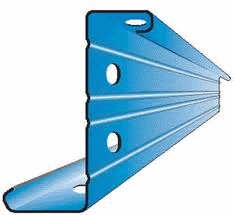
A simple calculator for making assessement of structural components to the Australian coldformed steel structures code AS4600. It requires:
Calculation Reference
AS4600
Structural Analysis
Section Properties
Calculation Preview


 (4/10)
Full download access to any calculation is available to users with a paid or awarded subscription (XLC Pro).
Subscriptions are free to contributors to the site, alternatively they can be purchased.
Click here for information on subscriptions.
Comments: 19
×

mustafakeskiin
6 years ago
Have prepared a blog post with general information on setting up MS Excel environment for using my spreadsheets. Activating the add-in, updating the links, and making modifications which may be caused by using other versions of Excel. The spreadsheets are created in Excel 2003, the post is based on opening fil

10 years ago
Have prepared a blog post with general information on setting up MS Excel environment for using my spreadsheets. Activating the add-in, updating the links, and making modifications which may be caused by using other versions of Excel. The spreadsheets are created in Excel 2003, the post is based on opening files in Excel 2016.
http://miscion.com.au/setting-up-spreadsheet-environment/
http://miscion.com.au/setting-up-spreadsheet-environment/
12 years ago
No real change other than I have modified the schTechLIB.xls so that paths to the materials database are stored inside it. This prevents the calculations in As4600 becoming invalid when the focus is moved to another workbook: the cursor is on another workbook.
Also when using create folders in mydocuments, say ExcelCalcs and below this another called materials. Place schTechLIB in ExcelCalcs, it should then find itself and build appropriate paths to the materials database below. Do not place in Excel's default add-in's folder.
Add schTechLIB.xla to Excel add-in's before doing anything else. The menu is Tools/Add-in's for Excel 2003. Once added close Excel. Open Excel again, go to the Add-in's menu and select schTechLIB and see if it complains and asks to remove: accept remove it. It should only complain if it cannot find, and this will only be the case if had a previous version installed in another folder elsewhere. To remove previous versions in other folders rename them -schTechLIB.xla to start with, when fixed up new version can then delete.
Once schTechLIB.xla is installed, make sure the materials files are also installed (schStruMtrl.xls and struMtrl.mdb), the MS Access database file is required because the vba functions make use of Data Access Objects (DAO) to get section properties from struMtrl.mdb, this simplifies the parameter list to the functions. You do not need MS Access, DAO should be available on all Windows computers.
Once this is available, then it is possible to open schDsgnAS4600.xls. Do not allow updates when the file opens. If lucky then the invisible paths to the user defined functions (udf) will be updated to the location of schTechLIB on your computer. You can see the paths by ticking the add-in on and off.
Open the schStruMtrl.xls, whilst schDsgnAS4600.xls is still open. The go to edit links, if the links are not correct then update them.
If attempt to update the link to schStruMtrl.xls before opening it, it will take a lot longer to update. If attempt to update the link to schTechLIB it will complain about every single function reference, it is the add-in that needs to be updated: Excel should fix the link itself. Occasionally it doesn't and do have to edit the links, in which case have wade through all the complaints about cannot find function.
I've tested setting up under my own profile in my documents, under the shared documents folder, and also created a new limited user profile and set up in there. I didn't time but I am guessing it took less than a minute to fix the links. The longest part of the time would have been destroying the original links so that was broken, so I could fix. So the time is for breaking and fixing it.
Also when using create folders in mydocuments, say ExcelCalcs and below this another called materials. Place schTechLIB in ExcelCalcs, it should then find itself and build appropriate paths to the materials database below. Do not place in Excel's default add-in's folder.
Add schTechLIB.xla to Excel add-in's before doing anything else. The menu is Tools/Add-in's for Excel 2003. Once added close Excel. Open Excel again, go to the Add-in's menu and select schTechLIB and see if it complains and asks to remove: accept remove it. It should only complain if it cannot find, and this will only be the case if had a previous version installed in another folder elsewhere. To remove previous versions in other folders rename them -schTechLIB.xla to start with, when fixed up new version can then delete.
Once schTechLIB.xla is installed, make sure the materials files are also installed (schStruMtrl.xls and struMtrl.mdb), the MS Access database file is required because the vba functions make use of Data Access Objects (DAO) to get section properties from struMtrl.mdb, this simplifies the parameter list to the functions. You do not need MS Access, DAO should be available on all Windows computers.
Once this is available, then it is possible to open schDsgnAS4600.xls. Do not allow updates when the file opens. If lucky then the invisible paths to the user defined functions (udf) will be updated to the location of schTechLIB on your computer. You can see the paths by ticking the add-in on and off.
Open the schStruMtrl.xls, whilst schDsgnAS4600.xls is still open. The go to edit links, if the links are not correct then update them.
If attempt to update the link to schStruMtrl.xls before opening it, it will take a lot longer to update. If attempt to update the link to schTechLIB it will complain about every single function reference, it is the add-in that needs to be updated: Excel should fix the link itself. Occasionally it doesn't and do have to edit the links, in which case have wade through all the complaints about cannot find function.
I've tested setting up under my own profile in my documents, under the shared documents folder, and also created a new limited user profile and set up in there. I didn't time but I am guessing it took less than a minute to fix the links. The longest part of the time would have been destroying the original links so that was broken, so I could fix. So the time is for breaking and fixing it.
12 years ago
Revised the workbook, now needs an updated version of schTechLIB. I removed the hard coded constant referring to location of MS Access materials library, and replaced with a function which gets information from AppEnvVar worksheet in the workbook.
Its a compromise as, the calculations become invalid when the workbook is not the currently active workbook {eg. it cannot find the database, unless AppEnvVar is in every workbook.}
So I may need to develop a configuration and/or installation macro, with config file.
Shouldn't need MS Access for it to work.
Its a compromise as, the calculations become invalid when the workbook is not the currently active workbook {eg. it cannot find the database, unless AppEnvVar is in every workbook.}
So I may need to develop a configuration and/or installation macro, with config file.
Shouldn't need MS Access for it to work.
12 years ago
I attempted to upload a revised version. But something went wrong, and got a server error. Will try again later.
12 years ago
Been looking at the workbook, it seems it uses the MS Access database (struMtrl.mdb) for material properties, behind the functions. This was so that can call the functions with the minimum number of parameters from any workbook. There is a public constant (MtrlDB) in the TechLIB vba code which needs to be changed.
You don't need MS Access, the vba code makes use of DAO, which should be available on all Win XP computers.
I will need to think about how to make the constant into a variable which can be adjusted to suit the users environment.
I will revise the TechLIB and AS4600 workbooks. Adding a macro to update links.
You don't need MS Access, the vba code makes use of DAO, which should be available on all Win XP computers.
I will need to think about how to make the constant into a variable which can be adjusted to suit the users environment.
I will revise the TechLIB and AS4600 workbooks. Adding a macro to update links.
12 years ago
Hi studoc,
There is one other random irritation with using .xla's. If you switch the add-in off, then look at the cell with #NAME? you should see the path to the workbook where the function is located. Switch the add-in back on and the path disappears. Some times this path is not updated.
With the add-in switched off, and the paths visible do a search/replace for the invalid path and replace with correct path. Then switch add-in back on.
Top right hand corner of worksheet is where I store the path, for when the hiccup occurs. Usually only occurs when I move drives.
Also in windows XP, the "Shared Documents" folder is an alias, the full path is C:Documents and SettingsAll UsersDocuments. Excel should use the full path not the alias.
I rarely ever use the My Documents and Shared Documents alias's, but usually they get converted into the full paths inside software.
There is one other random irritation with using .xla's. If you switch the add-in off, then look at the cell with #NAME? you should see the path to the workbook where the function is located. Switch the add-in back on and the path disappears. Some times this path is not updated.
With the add-in switched off, and the paths visible do a search/replace for the invalid path and replace with correct path. Then switch add-in back on.
Top right hand corner of worksheet is where I store the path, for when the hiccup occurs. Usually only occurs when I move drives.
Also in windows XP, the "Shared Documents" folder is an alias, the full path is C:Documents and SettingsAll UsersDocuments. Excel should use the full path not the alias.
I rarely ever use the My Documents and Shared Documents alias's, but usually they get converted into the full paths inside software.
12 years ago
The following blog post should provide explanation to any difficulties using the add-in and linked workbooks.
http://metamorphs.blogspot.com.au/2013/11/steel-design-to-as4600.html
http://metamorphs.blogspot.com.au/2013/11/steel-design-to-as4600.html
12 years ago
The following blog post should provide explanation to any difficulties using the add-in and linked workbooks.
http://metamorphs.blogspot.com.au/2013/11/steel-design-to-as4600.html
http://metamorphs.blogspot.com.au/2013/11/steel-design-to-as4600.html
12 years ago
I will attempt to write some step by step instructions over on my blog, and post a link here when written.
12 years ago
Hi studoc,
The spreadsheet is 2003 version of Excel.
Check edit links, to make sure that the workbook can find the dependent files. Also make sure the materials spreadsheet is open.
Also on this site is a big red button, up near the top. If press the big red button will get to a discussion thread about the spreadsheet. The editor there also has more features and permits longer posts.
The spreadsheet is 2003 version of Excel.
Check edit links, to make sure that the workbook can find the dependent files. Also make sure the materials spreadsheet is open.
Also on this site is a big red button, up near the top. If press the big red button will get to a discussion thread about the spreadsheet. The editor there also has more features and permits longer posts.
12 years ago
Seems need some admin assistance the links to the dependent workbooks are not correct: but they are not url's in the html code, rather function calls to calculation numbers. I don't know the numbers.
So the url links are:
/repository/misc.-topics/schtechlib/
/repository/strength/materials/structural-materials-data-steel/
Given the stat's for download of schTechLib and the dependence of just about all my spreadsheets on this library, and also given possible limits people have on downloads, I will consider combining the dependent files into a zip file, so that have a single download. Though that seems a waste of space.
The alternative is I will provide the common libraries elsewhere outside of ExcelCalc's.
So the url links are:
/repository/misc.-topics/schtechlib/
/repository/strength/materials/structural-materials-data-steel/
Given the stat's for download of schTechLib and the dependence of just about all my spreadsheets on this library, and also given possible limits people have on downloads, I will consider combining the dependent files into a zip file, so that have a single download. Though that seems a waste of space.
The alternative is I will provide the common libraries elsewhere outside of ExcelCalc's.
12 years ago
Thanks Studoc,
The links are:
http://www.excelcalcs.com/repository/misc.-topics/schtechlib/
http://www.excelcalcs.com/repository/strength/materials/structural-materials-data-steel/
The links are:
http://www.excelcalcs.com/repository/misc.-topics/schtechlib/
http://www.excelcalcs.com/repository/strength/materials/structural-materials-data-steel/
14 years ago
Sorry not all that user friendly. Check post above. Also need to make sure schTechLib.xla is added to add-ins. May also need to check: edit links, to make sure both schTechLib.xla and schStruMtrl.xls have correct paths: especially if use explorer to copy onto different drive.
At some future date I will try find time to embed all the vba code in the one workbook. Note the vba functions can be used in any spreadsheet to create custom reports better suited to a specific project. The workbook as it stands is just a quick (when working) calculator to get idea of section capability: not intended to be printed out or put in reports. Think of it like a programmable calculator where write calcs out by hand.
At some future date I will try find time to embed all the vba code in the one workbook. Note the vba functions can be used in any spreadsheet to create custom reports better suited to a specific project. The workbook as it stands is just a quick (when working) calculator to get idea of section capability: not intended to be printed out or put in reports. Think of it like a programmable calculator where write calcs out by hand.
14 years ago
this is a snapshot of my screen. i am just not used to work with that kind of excel. i guess that's why i am having trouble.
14 years ago
Click the big red button above: check version history, and reply to topic. Should then allow attachment of a file.
14 years ago
If everything else is fine, not sure why that would be. Could check that I100 = 0, eg. not a built-up section. Also check section type. The vba code breaks the section up into plate elements and calculates new section properties based on sectionType.
Otherwise I need more information.
Otherwise I need more information.
14 years ago
For those having problems the workbook depends on two other workbooks:
1) schTechLib
2) schStruMtrl
can find hyperlinks to above on the webpage.
These files need to be placed in shared documents folder in subfolder ExelCalcs (note spelling error: not Excel)
The material file in a further subfolder materials.
When the workbook is opened, go to edit/links menu option and open the source files. If necessary adjust the locations if want to place the workbooks somewhere else. Note the workbook needs to be on the c drive. If not then Excel will adjust all link paths by changing the drive reference.
If schStruMtrl is not open then the drop down lists will not work. Strictly Excel 2003 does not permit creating drop down validation lists to data in other workbooks. But it doesn't stop moving worksheets or copying cells. So central library files can be created, just a hindrance to use. Need to use Excel/SaveAs menu option, to save file to another drive, without automatic change of link paths.
1) schTechLib
2) schStruMtrl
can find hyperlinks to above on the webpage.
These files need to be placed in shared documents folder in subfolder ExelCalcs (note spelling error: not Excel)
The material file in a further subfolder materials.
When the workbook is opened, go to edit/links menu option and open the source files. If necessary adjust the locations if want to place the workbooks somewhere else. Note the workbook needs to be on the c drive. If not then Excel will adjust all link paths by changing the drive reference.
If schStruMtrl is not open then the drop down lists will not work. Strictly Excel 2003 does not permit creating drop down validation lists to data in other workbooks. But it doesn't stop moving worksheets or copying cells. So central library files can be created, just a hindrance to use. Need to use Excel/SaveAs menu option, to save file to another drive, without automatic change of link paths.
14 years ago
Sorry. Only just noticed the query. For some reason didn't receive email notification.
The workbook depends on two other workbooks:
1) schTechLib
2) schStruMtrl
can find hyperlinks to above.
These files need to be placed in shared documents folder in subfolder ExelCalcs (note spelling error: not Excel)
The material file in a further subfolder materials.
When the workbook is opened, go to edit/links menu option and open the source files. If necessary adjust the locations if want to place the workbooks somewhere else. Note the workbook needs to be on the c drive. If not then Excel will adjust all link paths by changing the drive reference.
If schStruMtrl is not open then the drop down lists will not work. Strictly Excel 2003 does not permit creating drop down validation lists to data in other workbooks. But it doesn't stop moving worksheets or copying cells. So central library files can be created, just a hindrance to use. Need to use Excel/SaveAs menu option, to save file to another drive, without automatic change of link paths.
The workbook depends on two other workbooks:
1) schTechLib
2) schStruMtrl
can find hyperlinks to above.
These files need to be placed in shared documents folder in subfolder ExelCalcs (note spelling error: not Excel)
The material file in a further subfolder materials.
When the workbook is opened, go to edit/links menu option and open the source files. If necessary adjust the locations if want to place the workbooks somewhere else. Note the workbook needs to be on the c drive. If not then Excel will adjust all link paths by changing the drive reference.
If schStruMtrl is not open then the drop down lists will not work. Strictly Excel 2003 does not permit creating drop down validation lists to data in other workbooks. But it doesn't stop moving worksheets or copying cells. So central library files can be created, just a hindrance to use. Need to use Excel/SaveAs menu option, to save file to another drive, without automatic change of link paths.